
Stop planning in fear: what-if scenarios for real project portfolios
How to use scenarios, snapshots and templates to test a re-org, a slipped deadline or a hiring freeze without touching the plan your team is actually working from.
Every project manager knows the moment. Someone senior asks, "What happens if we pull two people off Project B to rescue Project A?" — and the honest answer is "give me a day, I need to copy the spreadsheet and not break anything."
shadow-planner is built around that question. A scenario is a complete, isolated planning world: its own projects, epics, tasks, resources and allocations. You can have as many as you like, switch between them instantly, and nothing you do in one touches another.
The baseline and the sandbox
A typical setup has two or three scenarios:
| Scenario | Purpose |
|---|---|
| Baseline | The plan of record. What the team is executing against. |
| Re-org proposal | A copy of the baseline where you move people around freely. |
| Worst case | Baseline plus every risk you can think of landing at once. |
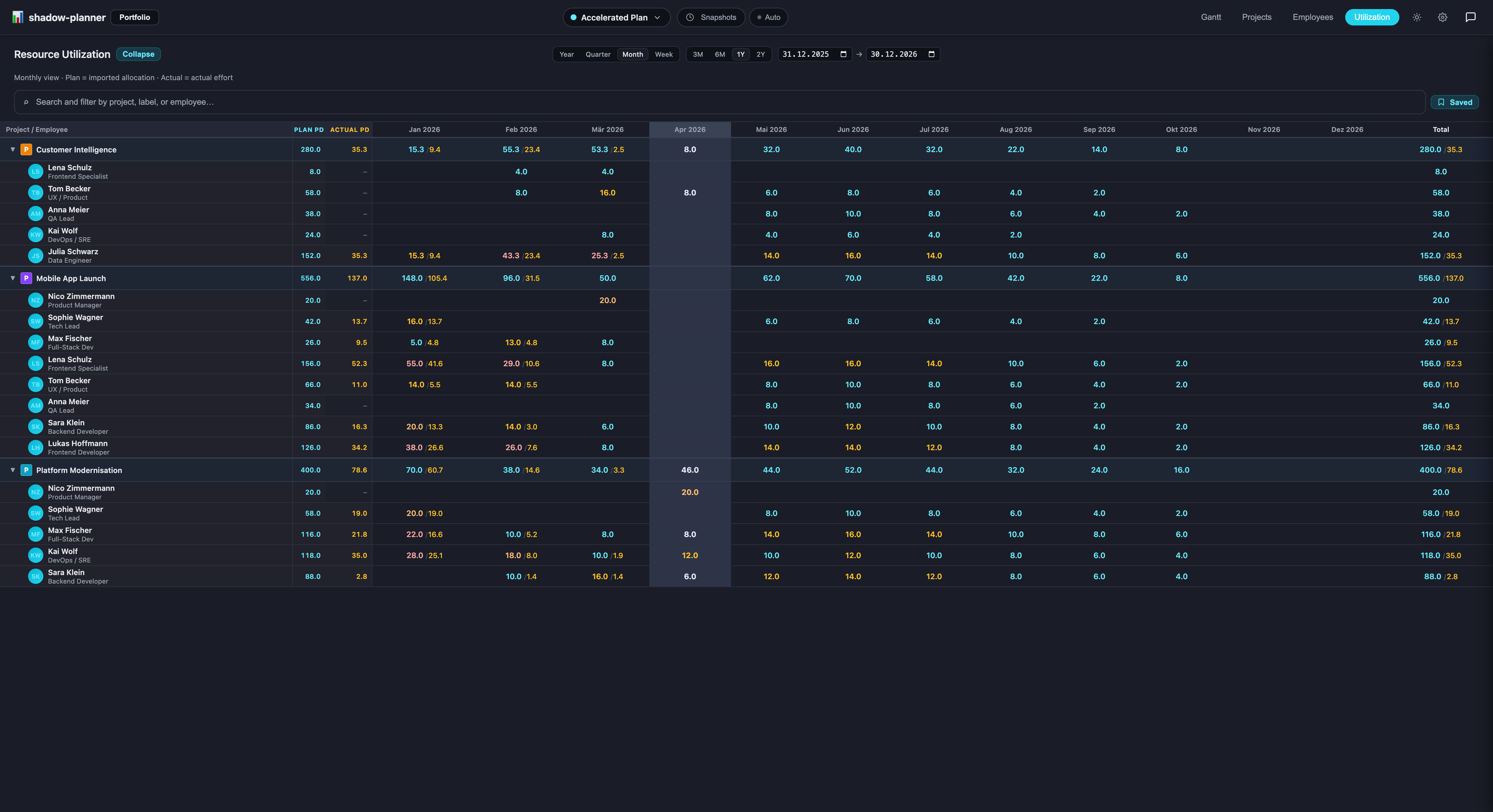
Create the sandbox as a copy of the baseline, make your changes, and put the numbers side by side: total person-days, finish dates, who's over 100% in which week. When the decision is made, either keep working in the new scenario or discard it. The baseline never moved.
Snapshots: a point-in-time record
A snapshot is a read-only copy of a scenario at a moment you choose. Take one before every steering meeting, before every replanning session, before you let the AI assistant loose on a bulk change. Later, you can answer "what did the plan look like in June?" precisely instead of from memory.
Snapshots strip credentials and settings before they're stored, so they're safe to export and share.
Templates: don't start from blank
If your projects rhyme — every client onboarding has the same six phases, every release has the same checklist — save a well-structured scenario as a template. New scenarios bootstrap from it in seconds, already populated with the epics and task skeletons you use every time. Pair that with the planning agent for the parts that differ per project.
Asking the assistant to compare
Because the chat assistant is scoped to the active scenario, comparing two scenarios is a matter of asking the same question twice:
"Summarise utilisation for March."
Switch scenarios, ask again. The /status slash command does the same without an LLM round-trip if you just want the numbers.
Exporting for people who want a spreadsheet
Stakeholders who live in Excel can have Excel. Any scenario exports to JSON, XLSX or CSV from the Scenarios menu. The export is a straight dump of the scenario — what you see is what they get.
Scenarios, snapshots and templates are all in the free tier (one scenario on Free; unlimited with the €4,99 lifetime license). Install shadow-planner and try a what-if on your current portfolio this afternoon.