
Plans drafted by AI
Paste a brief. Get a full draft — epics, tasks, owners, a timeline. Review, edit, then materialize. Nothing is committed to your plan until you say so.
Drop in a brief — shadow-planner builds the full project structure. Then steer it by conversation: re-schedule, re-baseline, query workload, rebalance, all in plain language. Run it on a local model, or bring your own Claude or OpenAI key.

AI-assisted gantt project planning that runs on your machine
Paste a brief. Get a full draft — epics, tasks, owners, a timeline. Review, edit, then materialize. Nothing is committed to your plan until you say so.
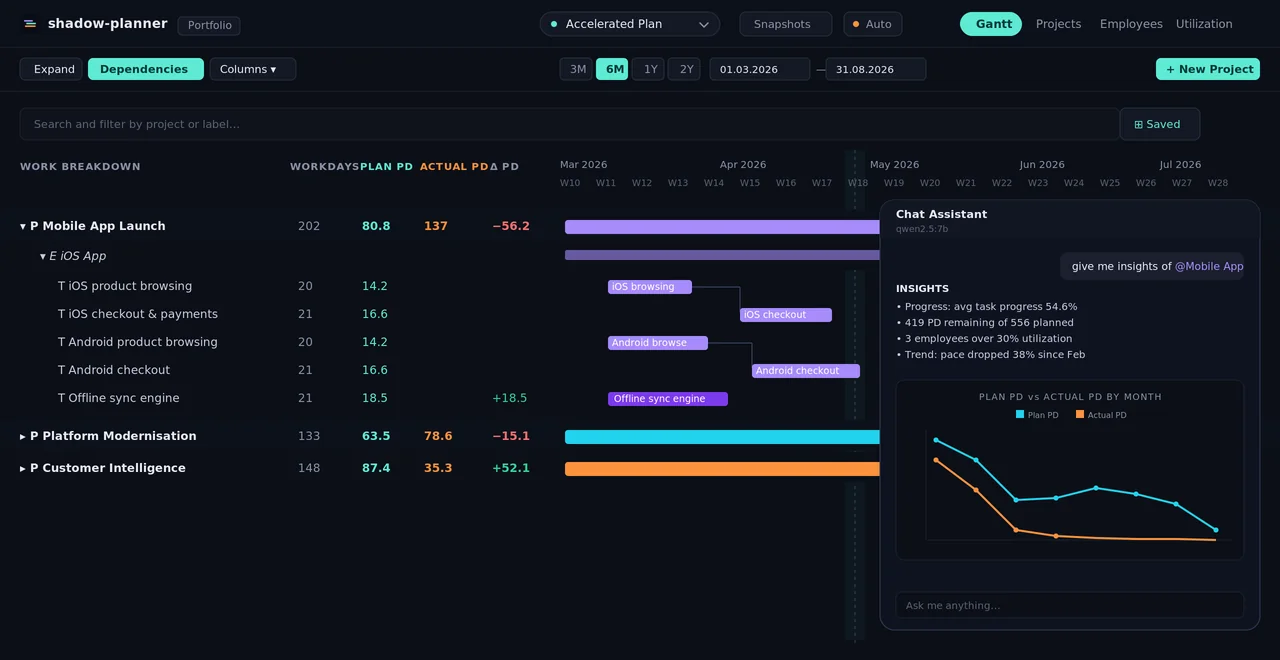
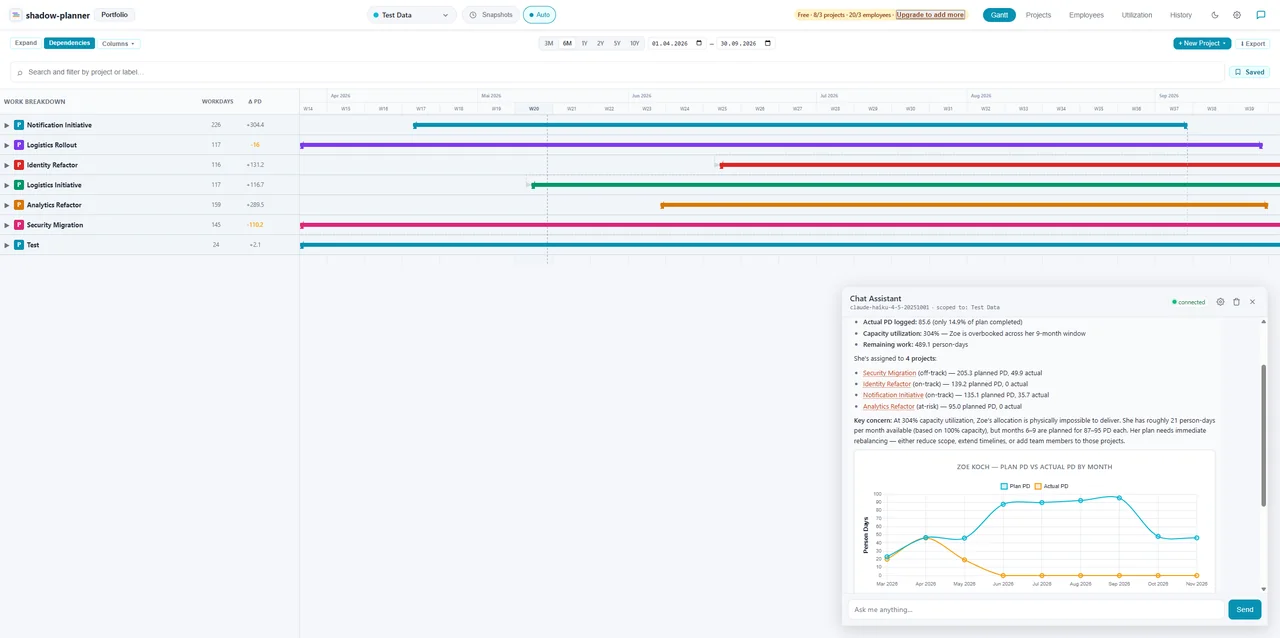
Ask, query, change. Push a launch by two weeks. Find who's overbooked. Re-baseline an epic. The agent reads your plan live and asks for approval before changing anything.
Run the assistant on a local model via Ollama — fully offline — or connect Anthropic Claude or OpenAI in settings. Switch providers anytime; your plan and SQLite database stay on disk either way.
Tell shadow-planner what you want to build. It drafts the full structure — epics, tasks, owners, a timeline — in seconds. Review, edit, then materialize. Nothing touches your real plan until you say so.
# Mobile App Launch — Q3

## Goal
Ship iOS & Android v1 by mid–August. Public TestFlight by July.

## Constraints
- 3 backend devs, 2 mobile devs, 1 designer
- Auth must reuse the existing platform service
- No new vendor dependencies

## Streams
- Mobile foundation
- Auth integration
- Offline sync
- Store readiness
Once the plan exists, you don’t have to leave the chat to manage it. Ask questions. Make changes. Run analysis. Anything destructive needs your explicit approval — you stay in control.
The chat and planning agents are provider-agnostic. Default to a local model that never phones home, or connect a cloud key when you want more horsepower — chosen in settings, scoped per scenario.
Runs a model on your own hardware — qwen2.5:7b
out of the box. No API key, no account, nothing leaves the machine.
Paste a Claude API key for stronger reasoning on large plans. Prompt caching keeps repeat calls fast and inexpensive.
Prefer GPT? Drop in an OpenAI key and the same agent, with the same tools, runs on the Chat Completions API.
One key, hundreds of hosted models from many vendors. Pick the model per provider and switch from the chat header any time.
Local stays local. Choose a cloud provider and only the requests you send — scoped to the active scenario — are transmitted to it. Any model with tool calling works — see which models work best.
Every plan lives in a scenario. Run a baseline, an accelerated, and a re-org plan side by side — ask the agent to draft each one, then compare. Snapshots and templates keep your favorites for next time.
The AI drafts and edits the plan, but the plan itself is a proper PM tool. Drag-to-reschedule timelines, capacity-aware utilization tables, budgets, notes and portfolio rollups — all editable by hand whenever you want, and all undoable.
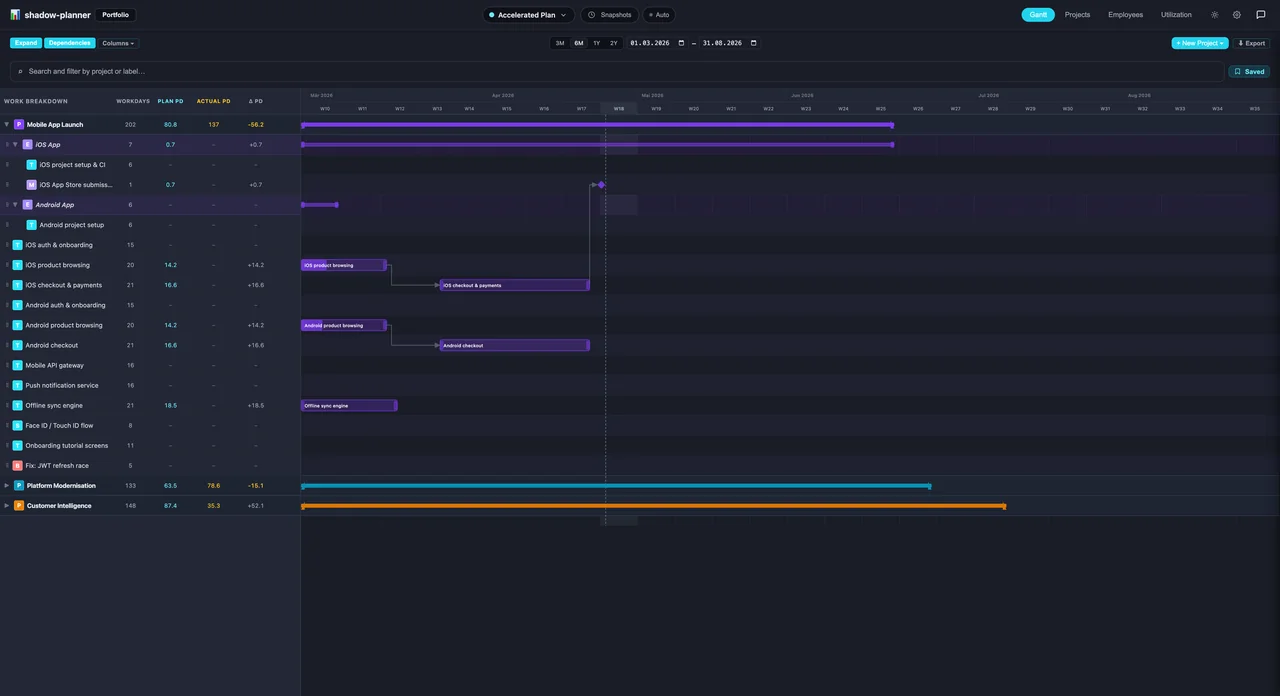
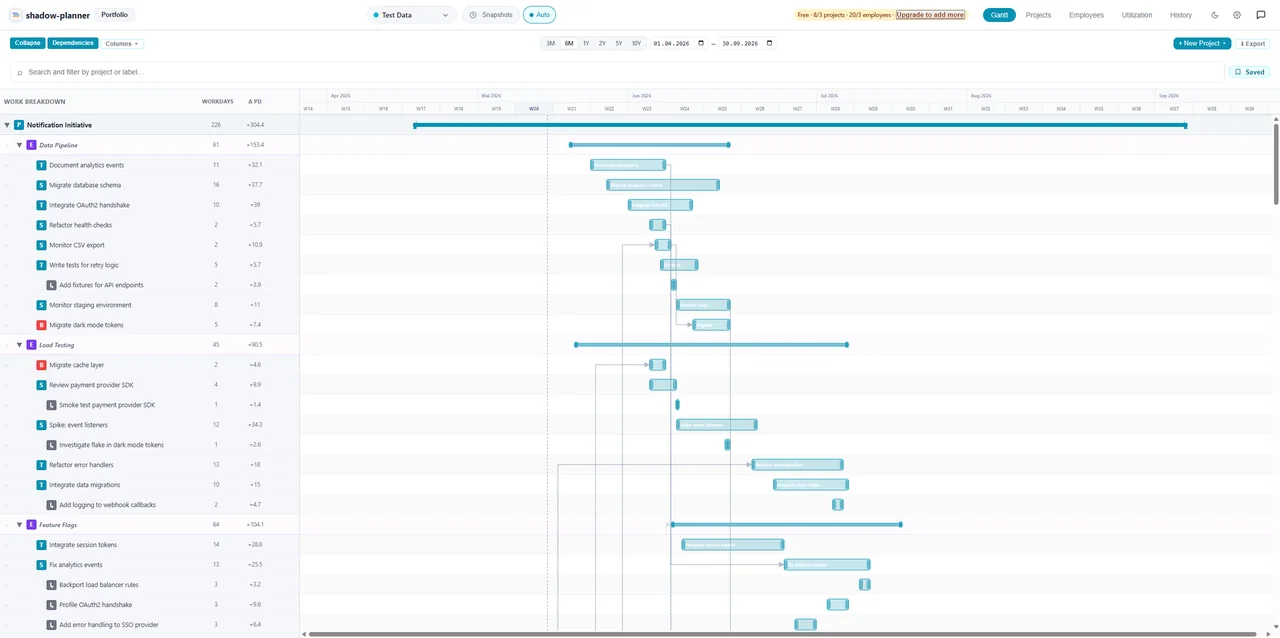
Drag tasks to reschedule and preview what cascades before anything is written. Collapse epics. Toggle dependency arrows. Zoom from a week to a ten-year plan. Edit dates, estimates and status right in the work-breakdown pane, or steer the whole tree from the keyboard.
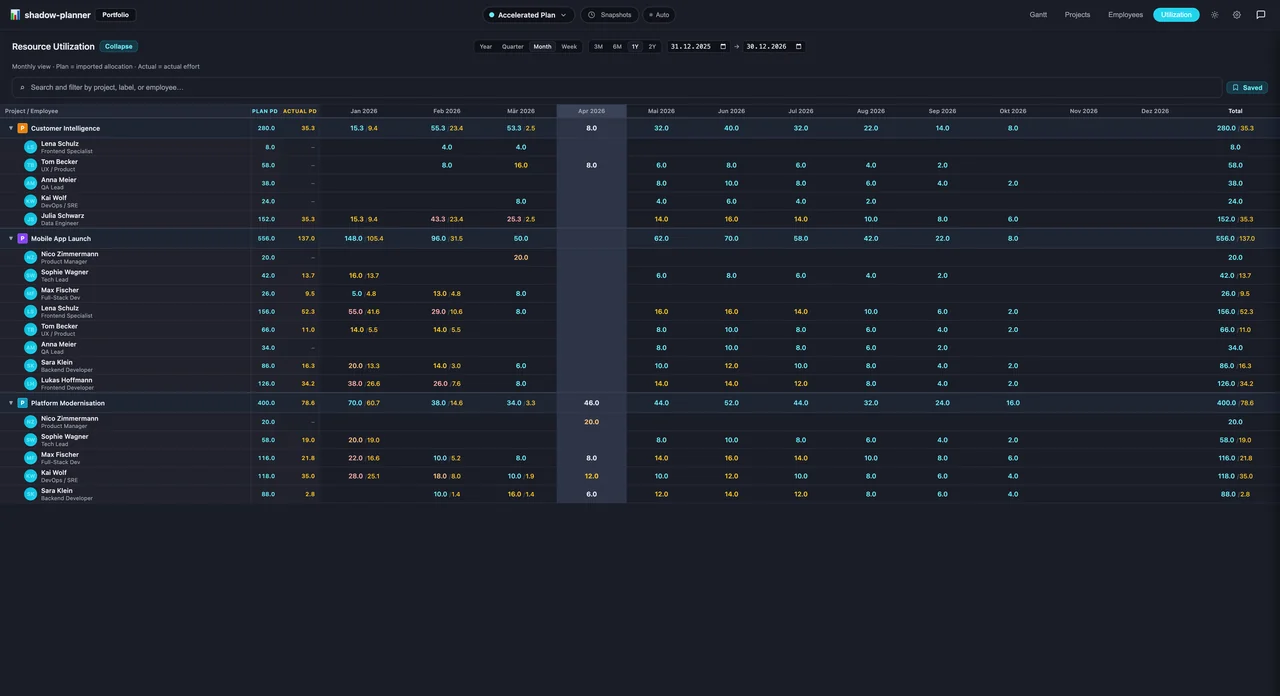
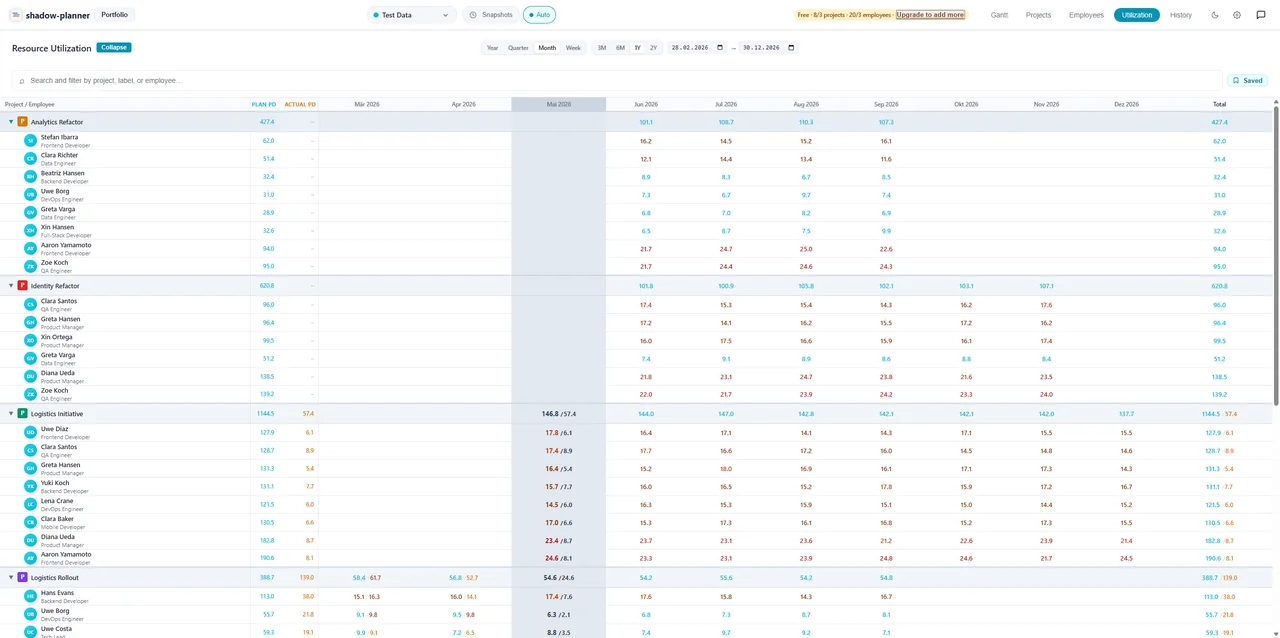
A weekly allocation table that shows planned vs. actual person-days per project, per resource. Flip the axis to see it by person, drill down to single issues, and let real capacity thresholds colour the overloads. No more pivot-table archaeology before each steerco.
Drop your Gantt into a slide deck, an email, a Markdown doc, or hand it to a stakeholder who lives in Microsoft Project. The schedule exports to whatever shape you need.
RAG status, cost, and person-day totals across every project — at a glance.
Project → Epic → Task → Sub-task, with task, story, bug and milestone types. Promote a task to an epic or an epic to a project without re-typing.
A readable trail of every change — whether you, the chat agent, or the planner made it.
Freeze any plan as a point-in-time record, save reusable templates, and move or copy whole projects between scenarios.
Group projects and resources with free-form labels; track daily rate and a manager hierarchy.
Bring resources in from Excel, projects and allocations from CSV, and export any scenario as JSON, Excel or CSV.
Meeting minutes, risks and decisions in Markdown, with @-mentions, attachments and a scenario-wide Notes view. Export a note to Markdown or PDF.
Ctrl+Z reverses any change — yours or the assistant’s — up to 50 steps per scenario. A bulk edit or a resource swap comes back in one step.
Give a project a budget and watch the unburnt remainder. Costs roll up from each resource’s own daily rate, in the Gantt, dashboards and portfolio.
Filter as you type by project, label, resource or status, then save the view as a named preset for the Gantt and Utilization.
Every task and epic carries a status and a priority, visible in the work breakdown. Ask /status @Project in chat for a health briefing.
Dark and light themes, your date and number format, forms that dock beside the Gantt, an optional browser mode, and an update check on start.
Want the details? Every feature is documented step by step in the Help center.
shadow-planner runs on your laptop, your workstation, or a private server you
control. The database is a single SQLite file you back up with cp. Run
the assistant on a local model via Ollama
and nothing leaves the machine at all — or opt into a cloud provider, where only
your scoped requests go out. No telemetry, no analytics, no account needed to use the app.
The details, in plain legal terms: read the full privacy policy.
Most planning tools are cloud task trackers billed per seat, per month. shadow-planner is a desktop planner you buy once. Each comparison has the same side-by-side table and says plainly when you should stay where you are.
Not sure which applies? Start from what you actually do on the use-case pages, or browse all comparisons.
Install free from the Microsoft Store or Snap Store and use the full tool right away. Pay once only when you outgrow the starter limits.
€0
Microsoft Store & Snap Store download
€4,99 one-time purchase
Pay once via Stripe — no subscription
Pick your platform — install from a store or download directly. The app opens right away, no purchase required.
Version 3.3.3 · signed & notarized


Currently version 3.3.3 · updates automatically
Free download · €4,99 once unlocks unlimited use
SHA-256 checksums for the macOS downloads · see what changed in each release in the changelog